# Your Dashboard (/docs/dashboard)
Your Dashboard shows how you're performing based on prompts that ran during the last 24 hours.
Navigate to Sources in your sidebar to access source analytics.
 RankZero automatically refreshes your data once per day: everything you see reflects aggregated results from the most recent prompt run.
The timer in the top-right shows when the next 24-hour cycle begins.
**Navigate to**
Add prompts
Track & compare
What's being talked about
See what's cited
## Filters and Controls - *✨ Newly added!*
Use these to customize your dashboard view:
* **Date selector:** Switch between 7, 14 or 30 day views (default is All time)
* **Competitor filter:** Compare visibility for selected brands
* **Model selector:** View results from specific AI models
## Dashboard Sections
RankZero automatically refreshes your data once per day: everything you see reflects aggregated results from the most recent prompt run.
The timer in the top-right shows when the next 24-hour cycle begins.
**Navigate to**
Add prompts
Track & compare
What's being talked about
See what's cited
## Filters and Controls - *✨ Newly added!*
Use these to customize your dashboard view:
* **Date selector:** Switch between 7, 14 or 30 day views (default is All time)
* **Competitor filter:** Compare visibility for selected brands
* **Model selector:** View results from specific AI models
## Dashboard Sections
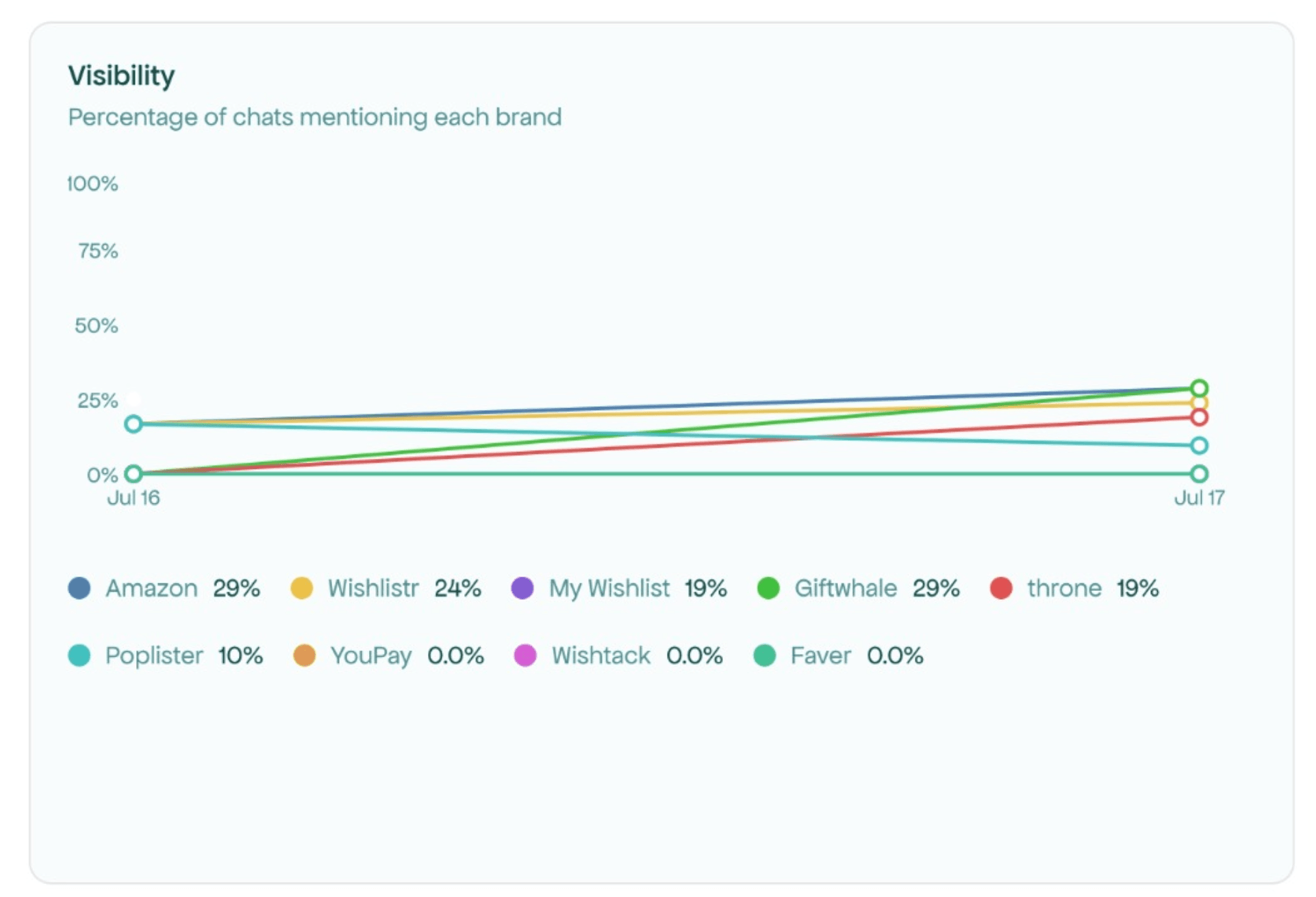
Shows brand mention trends over your selected time period. Hover over the graph to see exact percentages per day.
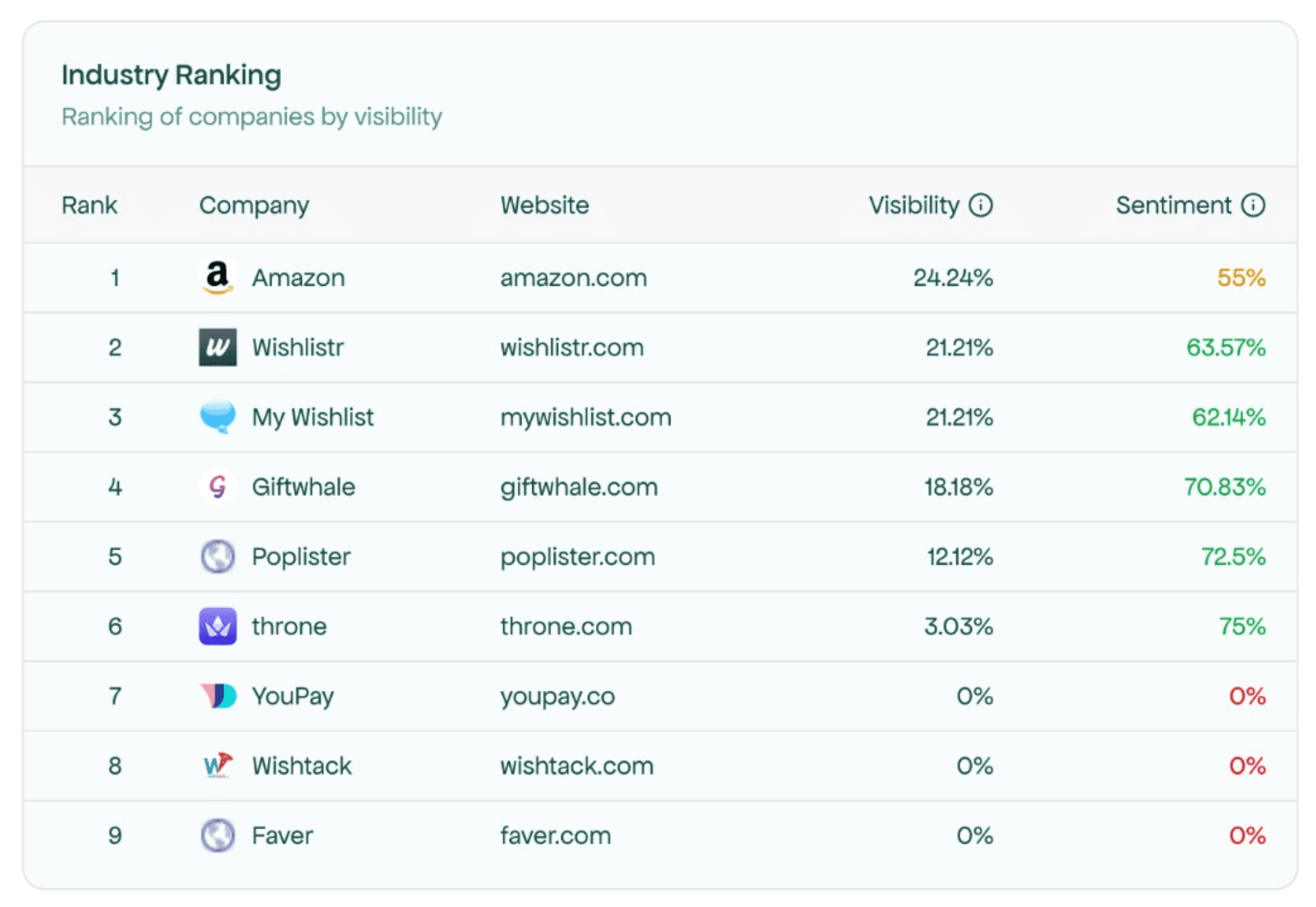
 Lists all tracked brands ranked by visibility, showing position, sentiment, and visibility scores for each. Red or green arrows indicate changes within your selected time period.
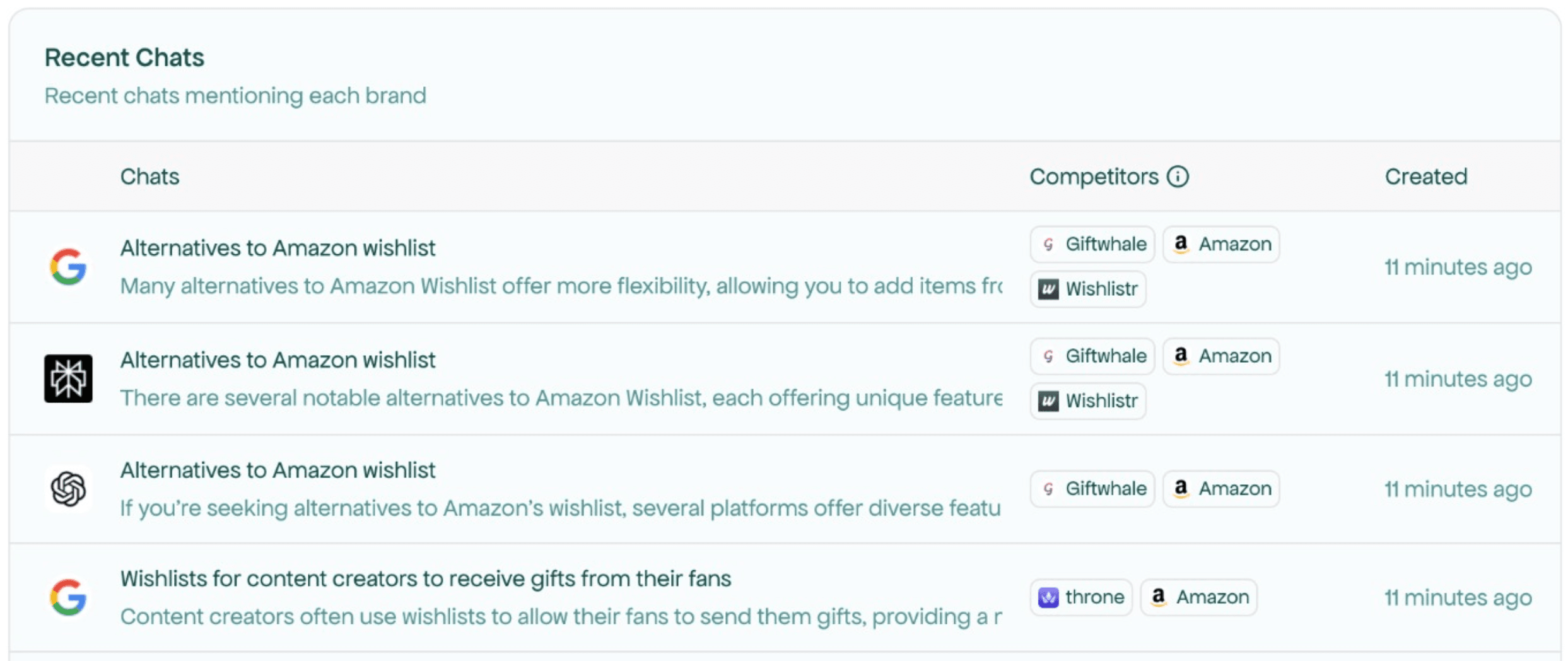
 Displays specific AI responses where your brand appeared, with details like specific chats (click in to read more), position, mentions, and when they were created.
If you have "All Competitors" or your brand selected in filters, you'll see recent mentions of your brand. Select a specific competitor in the filters to see their recent mentions instead.
Displays specific AI responses where your brand appeared, with details like specific chats (click in to read more), position, mentions, and when they were created.
If you have "All Competitors" or your brand selected in filters, you'll see recent mentions of your brand. Select a specific competitor in the filters to see their recent mentions instead.
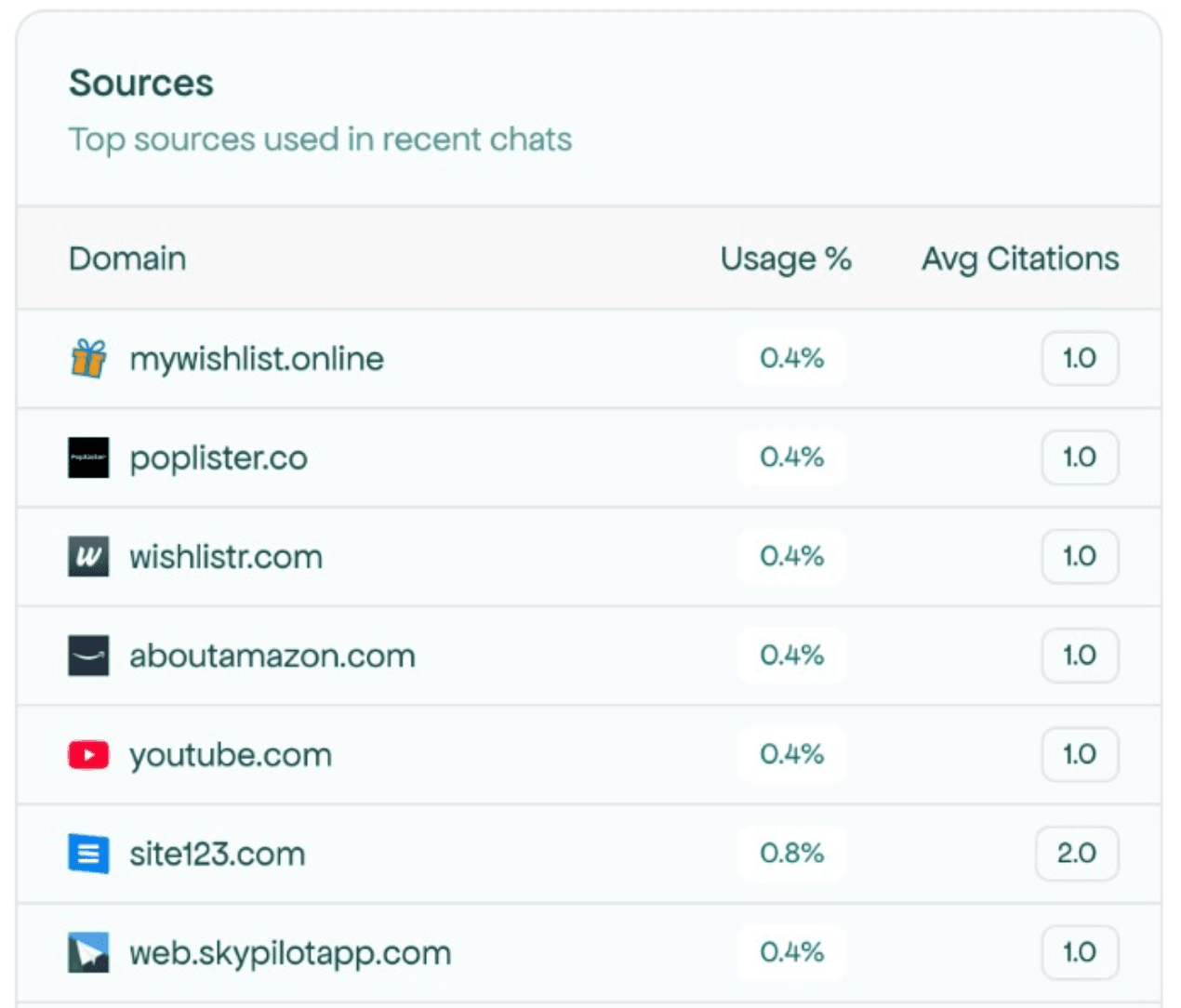
 Shows top sources being used across your active prompts. Click All Sources to open the in-depth Sources page and learn more.
**Your visibility data updates daily. Use filters to dig deeper into what's working and what needs your attention.**